How to Fix the ‘Download Configuration Failed’ Error in the 2026 COD Mobile Test Server
COD Mobile's test server 'Download Configuration Failed' error is fixed. Download the second APK to play now.
In the summer of 2026, Call of Duty: Mobile fans lit up social media as Activision dropped a surprise test server for the brand‑new season. Thousands of eager soldiers grabbed their phones, ready to sample unreleased maps, weapons, and operators. But for many, the excitement soured within seconds because a stubborn roadblock stood in their way: the dreaded “Download Configuration Failed” error. On Android devices across North America, Europe, and beyond, the screen froze while the server tried—and failed—to fetch the necessary game files. It was as if the game itself had stage fright, refusing to step onto the battlefield.
Alex, a veteran grinder from Ohio, stared at his Galaxy S25, tapping the retry button like a woodpecker on caffeine. “Oh, come on,” he muttered, “I didn’t wake up at 3 a.m. just to see a progress bar mock me.” The error, it turned out, had a mind of its own. It appeared exclusively on the initial beta build, locking out players outside the United States even more aggressively. The test server’s infrastructure, overwhelmed by the stampede of logins, stumbled and couldn’t complete the download configuration handshake.
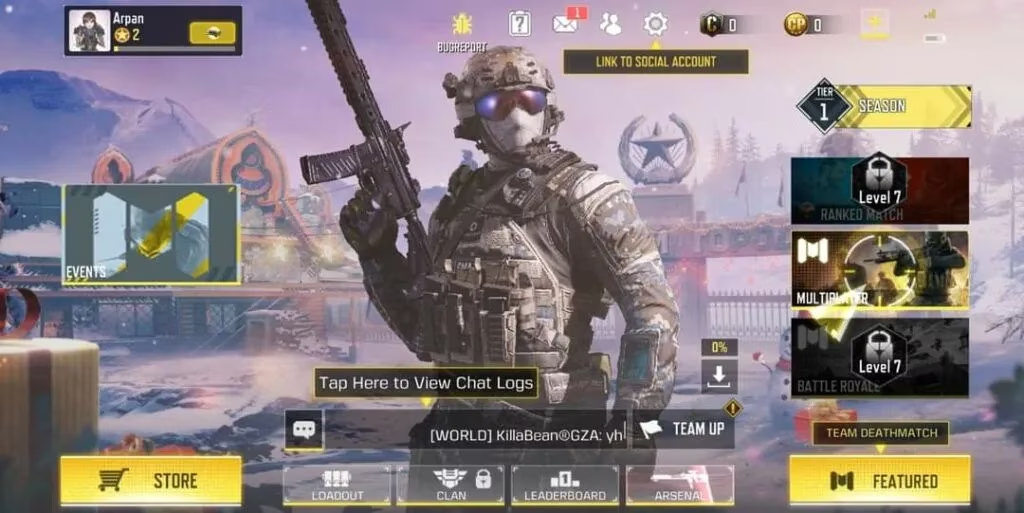
Thankfully, the developers at Activision didn’t leave their soldier‑players wandering in the fog. Within hours, a community manager acknowledged the issue with a tone that was part apology, part battle cry. “We hear you. The configuration error is a monster we’ve cornered, and the fix is already loaded. Let’s end this.” And just like that, a second version of the test server APK went live—a leaner, meaner build that no longer threw a tantrum during setup.
Let’s be real, nobody likes jumping through hoops, but getting the corrected beta installed was simpler than winning a gunfight in Shipment. Alex, now fueled by hope, followed the steps that Activision outlined. He downloaded the fresh APK file—weighing in at around 2 GB—and cleared enough space on his phone, because the installation demanded at least 4 GB of breathing room. His Galaxy 25’s storage was already sweating under the weight of cat videos, but Alex made the sacrifice.
Here’s the playbook the developers shared, which became the unofficial survival guide for anyone still staring at that cursed error:
-
Grab the second‑version APK from the official beta hub—the one specifically labeled “Test Server (Config Fixed).”
-
Dive into your phone’s File Manager, find the downloaded beast, and tap to install.
-
If this is your first time installing an app outside the Google Play Store, navigate to Settings > Safety & Privacy > Install Unknown Apps and grant permission to your browser or file manager. Think of it as opening a security gate for a trusted ally.
-
Wait two to three minutes while the installation unpacks. The device might groan or heat up a bit, but that’s just the digital exoskeleton assembling itself.
-
Once done, launch the “Call of Duty Public Test” app and log in with a Guest or Facebook account—whichever gets you into the action faster.
There was one critical caveat that Activision hammered home: the test server welcomed only the first 20,000 players. Alex didn’t need a second warning. He raced through the login screen, his heart pounding as the loading bar advanced without flinching this time. The lobby appeared, and the familiar menu music felt like a victory anthem. The error had been conquered, not by some arcane trick, but by a quietly revised package of code.
Another detail that eased many minds: this beta build was completely independent of the main Call of Duty: Mobile application. You didn’t need to uninstall your precious main game, nor would your loadout or rank get tangled with the test server’s chaotic experiments. The beta sat on your phone as a separate entity—like a temporary respawn beacon that vanished once the public test window closed. So even if you fiddled with unstable weapons or glitched killstreaks, your primary account stayed safe in its own foxhole.
Through this brief drama, the community learned a valuable lesson about patience and quick reflexes. The “Download Configuration Failed” error, for all its fury, was simply a misbehaving gatekeeper. Activision’s swift second version proved that even when servers buckle under pressure, a few well‑placed code patches can turn a frustrating morning into a legendary war story. Just ask Alex—he’s already testing a new SMG blueprint and grinning like he just clutched a 1v4.
If you ever run into a similar error in future test servers, remember this tale. Don’t panic, don’t uninstall your main game, and keep an eye on official channels for that second‑build salvation. The battle isn’t over until you’re on the deployment screen, and with a little stubbornness, you’ll be diving headfirst into the next seasonal chaos, weapon in hand.